To analyse, strategise and work with Ento, your data needs to be available on the platform.
In the Integrations Catalog you get an overview of all the data integrations available in Ento. Here you can find the integration that fits your data, read what you need to get started, and connect it yourself.
To find and connect an integration, follow the steps below.
- Go to "Settings" → "Integrations Catalog"
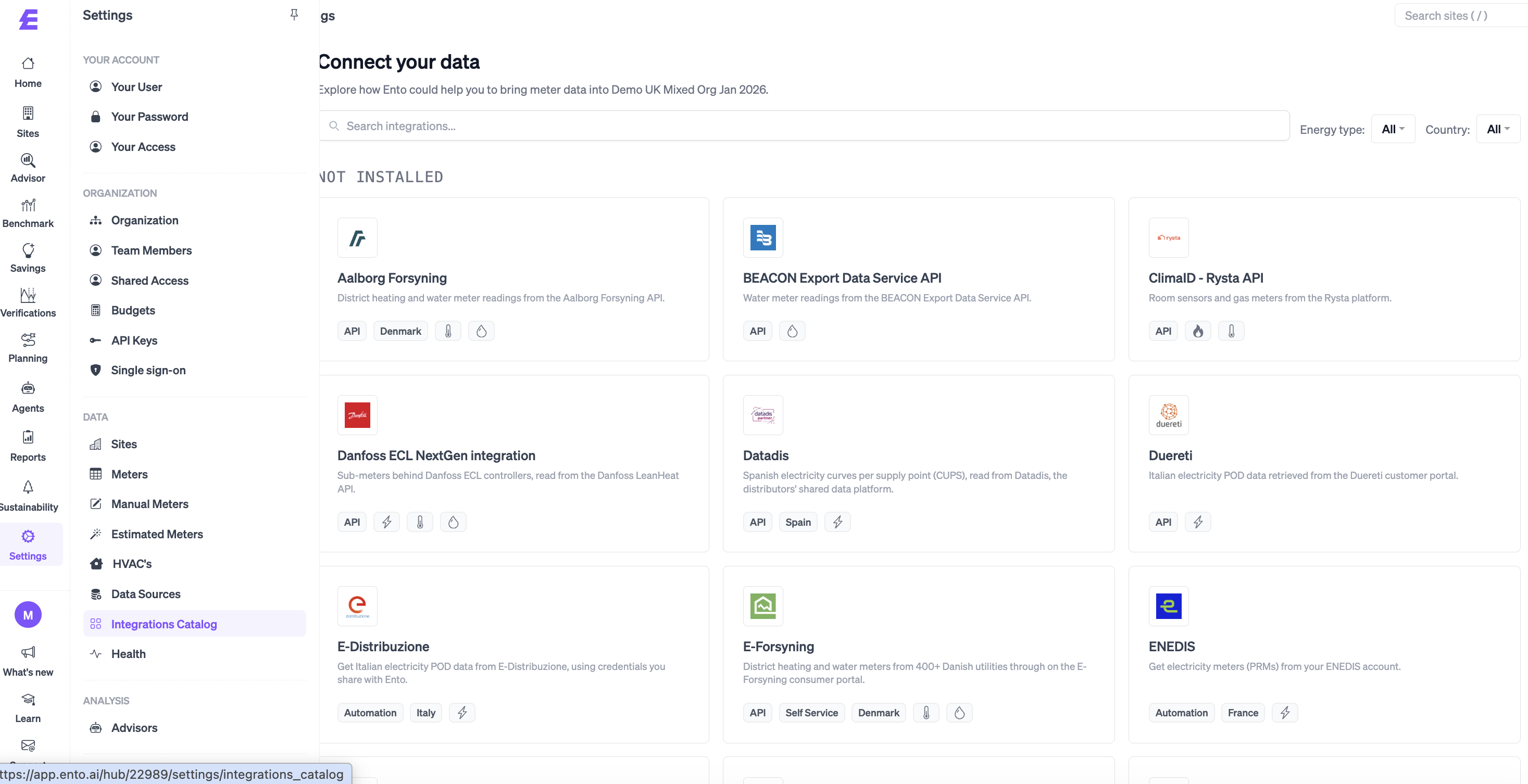
- Find the integration you want to connect
You can scroll through the list, or use the search field to search for the name of your utility or data provider. You can also use the filters "Energy type" and "Country" to narrow down the list.
Each integration shows:
- A short description of which data it brings into Ento
- How the integration works, e.g. "API", "SFTP" or "MQTT"
- The country it covers
- The energy types it supports, e.g. electricity, district heating, water or gas
Integrations marked "Self Service" can be connected by yourself directly from the platform.
- Click the integration to open it
Here you can read how the integration works, divided into:
- "Overview" – what the integration does
- "Setup" – what you need and the steps to connect
- "What to Expect" – which data and meters will be created, and how often data is updated
- "Troubleshooting" – what to do if something doesn't work as expected
You can also download the guide by clicking "Markdown" or "PDF", if you want to share it with a colleague.
- Make sure you have the information listed under "What you need"
This could for example be the login information from your utility, which you typically find on your invoice.
- Click "Connect" and follow the instructions
- Click "Save"
Ento will automatically create a new data source and start creating meters and downloading data. The process might take a few minutes.
Once connected, the integration is shown under "Installed" in the left side of the Integrations Catalog. You can see all your data sources by clicking "Data sources".
Can't find your integration?
If you have buildings in markets or with providers not listed in the Integrations Catalog, reach out and we will help you get access to your data.
You can read more about data integrations in the different markets here: